

Steam Deck average framerate numbers are now on Steam store pages for everyone, so you can see how opted-in Deck players have been running a game before you buy it. Valve switched the data on for all users with its November 11 Steam Client update. The number comes from real Deck owners who opted in to share anonymous framerate data, and Valve says thousands of games already have enough of it to show.
Under Steam Deck Compatibility, Then Learn More
On a game’s store page, open the Steam Deck Compatibility section and hit Learn more. Under Valve’s usual checklist you’ll now see a line like “Players on Steam Deck OLED averaged 87 FPS while playing this title,” with a toggle between Deck OLED and Deck LCD. The same data sits in the hardware compatibility dialog inside the Steam client, on desktop and on the Deck.
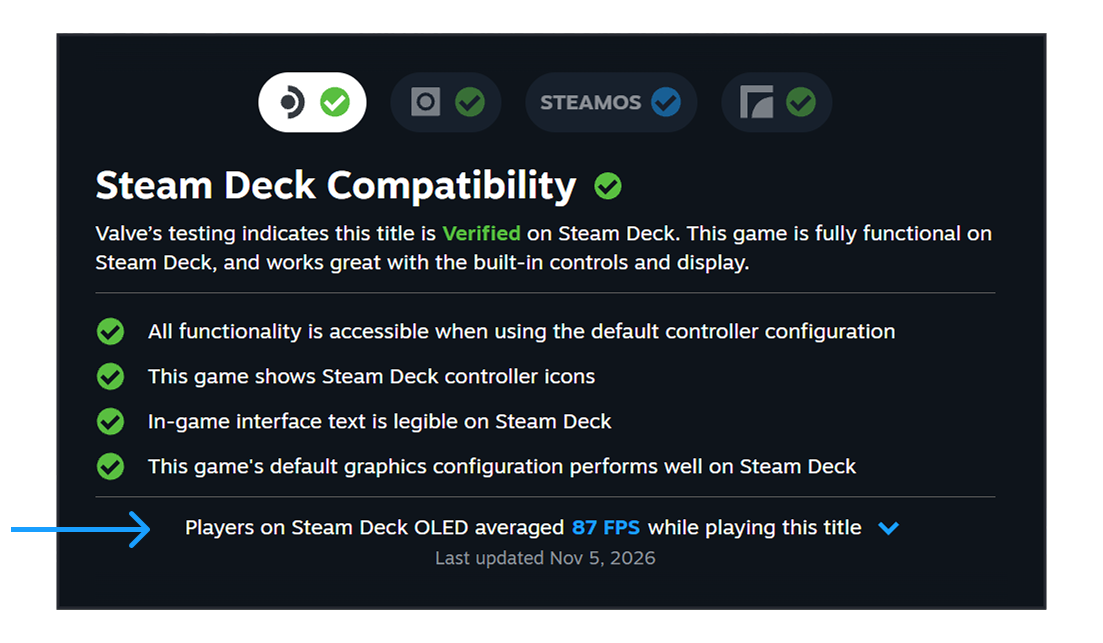
It only covers games Valve has tested for the Deck, whether they came out Verified, Playable or Unsupported. A game also needs a minimum number of samples before Steam shows anything, so small releases may stay blank for a while.
The 90 and 45 Gap in the Histogram
Expand the panel and you get a histogram that shows what share of play samples landed at each framerate. That’s more useful than the average. A tall bar near the top with a few short bars at lower numbers means a game that mostly holds its target and occasionally hitches.
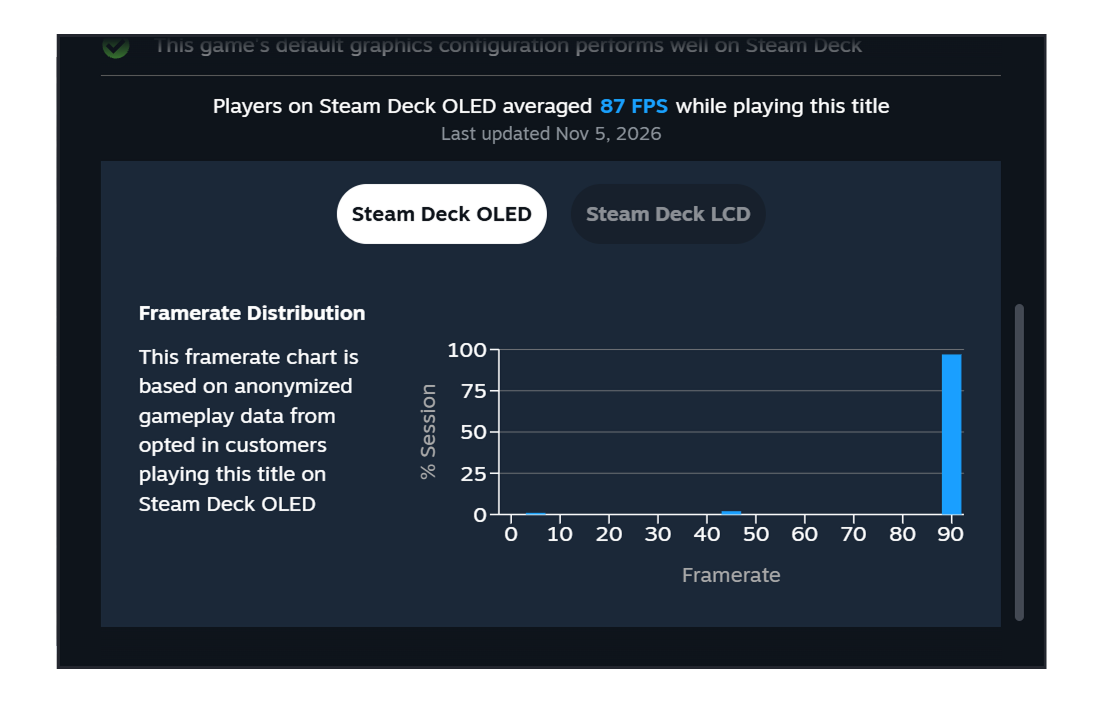
Valve’s own FAQ explains the pattern that will confuse people most: a chart with bars at 90 and 45 and almost nothing in between. That’s VSync on a 90Hz screen. When a game can’t make 90, the Deck drops that frame to 45 to avoid tearing, then pops back to 90, so a game running at 75 shows up as a mix of 90s and 45s. Some games also cap themselves at 60, which on an OLED at default settings bounces between 90 and 45 to average out.
Steam Deck Average Framerate Uses Default Limits Only
The numbers only count Decks running the default frame limit: 90 FPS on the OLED and 60 FPS on the LCD model. Valve filters out idle time and bad samples and takes several readings per session. It doesn’t account for in-game graphics settings, though Valve says the data clusters in fairly narrow ranges anyway.
That matters for how you read the Verified badge. Valve says Verified is based on standard test criteria and might not match every player’s bar. A Verified game may not hit the framerate you want, and an Unsupported one can run fine for some people. The average and histogram give you the missing piece.
Opting In on Deck and Desktop
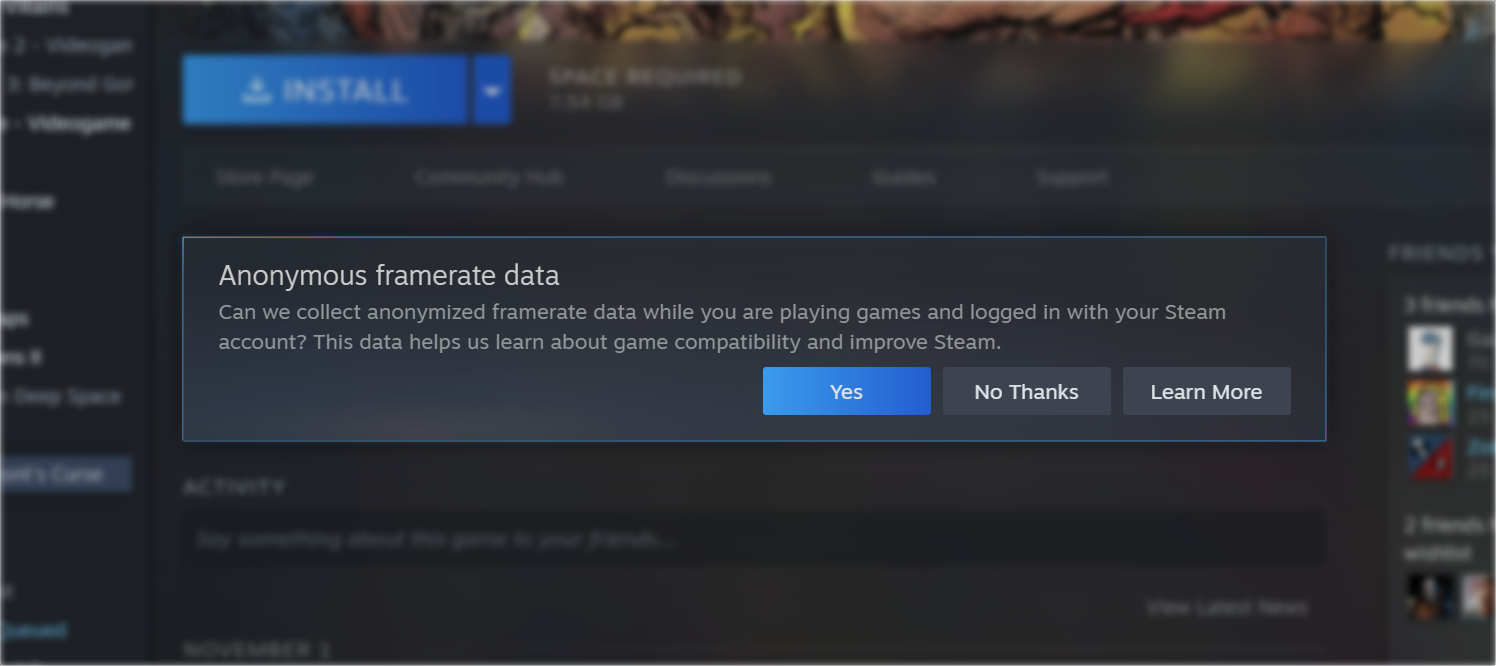
Valve says most Deck owners have already opted in. You can check or change it under Steam Account Settings, Data & Browsing, Anonymous Game Framerate Data. The November 11 update also brought the same opt-in prompt to the Steam desktop client, and Valve calls the Deck data “a stepping stone toward providing framerate data for more devices than just Steam Deck.” The Deck came first because every unit has the same hardware, which makes the numbers easy to compare.
The same client update made Steam Achievement Sets available to everyone, so your 100% no longer breaks when a DLC adds achievements. That feature is out of beta now.
If you buy PC games on GOG first, the Steam numbers still help. They measure the Steam build, so treat them as a strong hint for the GOG version rather than a promise, since patches and launchers can differ. Valve’s other new hardware, the Steam Frame headset, is covered in our Steam Frame breakdown. For now, the framerate line is the most honest thing on a Deck store page, and it’s worth a glance before every handheld purchase.