
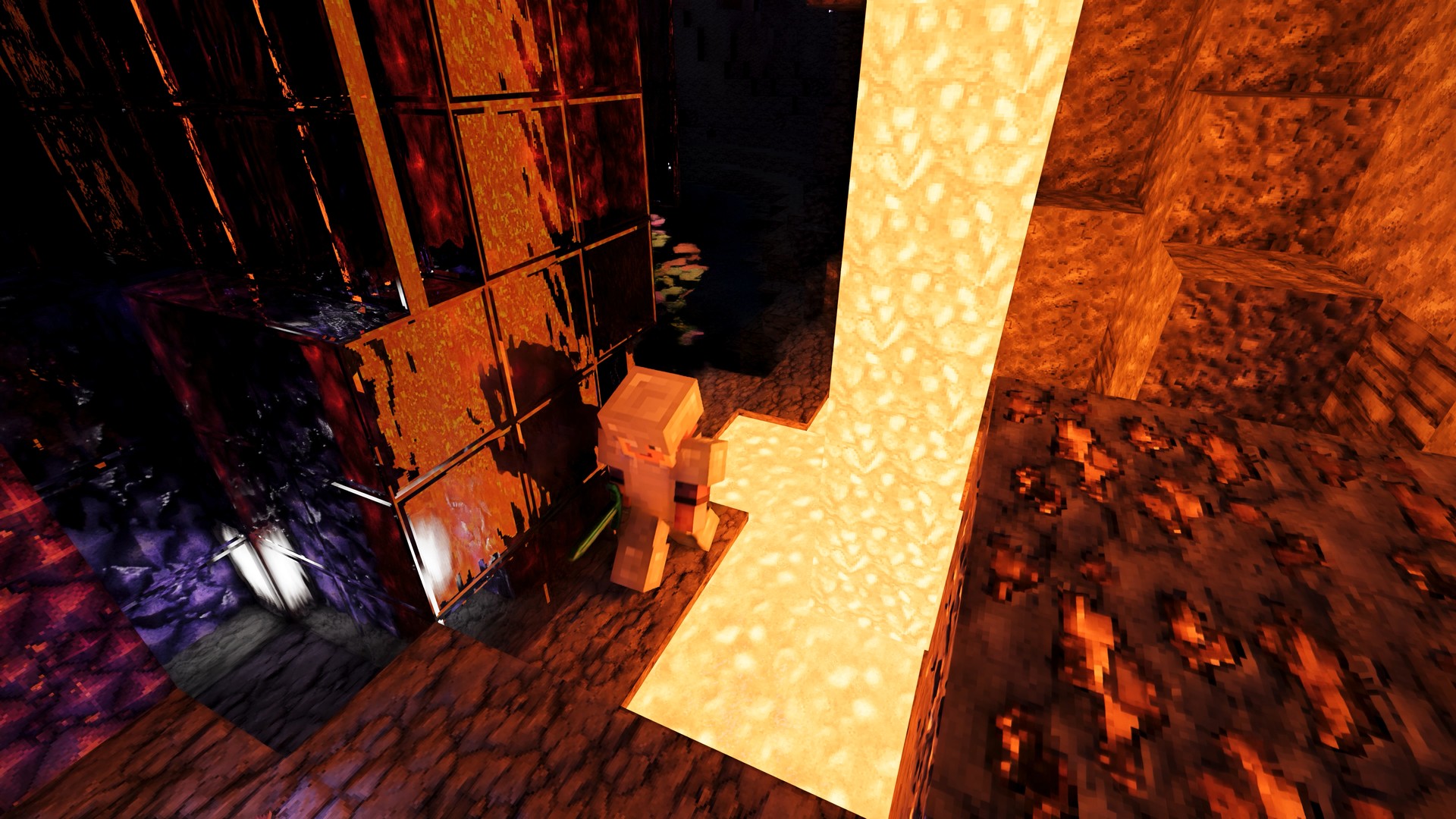
RTX Remix 1.6 Minecraft support is out as a free beta, and it path-traces Minecraft: Java Edition 1.21.1 with DLSS on GeForce RTX 30 Series cards and newer. NVIDIA released it on October 28 as an open-source mod with a sample world and a high-resolution materials pack, so you can see the full effect without building anything first.
What path tracing changes
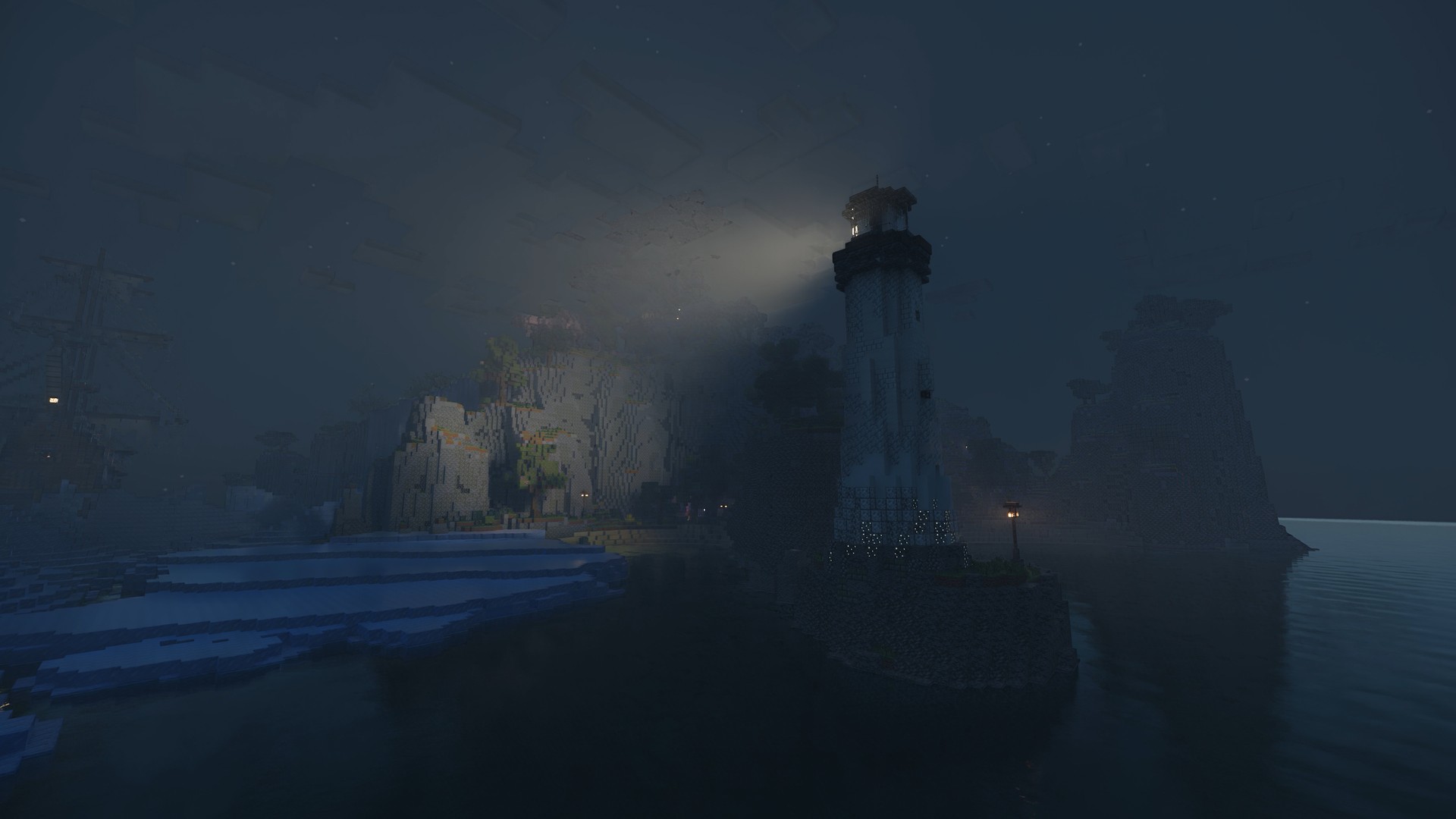
Instead of approximating light, the mod traces how it bounces. Sunlight and moonlight spill into caves and fade off naturally, light bounces around inside buildings up to four times, and it picks up color from whatever it hits, like stained glass or painted walls. Thousands of lights can cast shadows at the same time, so a torch-lit base looks very different.
You also get reflections on water and shiny blocks, volumetric fog and god rays through clouds and windows, refraction and caustics underwater, and light scattering through ice. Most of this depends on a resource pack with physically based (PBR) materials. Vanilla blocks won’t show much, which is why the beta ships with NVIDIA’s own pack. Other PBR packs work too.
This is a Java Edition mod for Windows PCs only. The Bedrock versions on consoles, including Minecraft’s free Switch 2 upgrade, don’t get it.
What you need
| Part | Requirement |
|---|---|
| Windows | Windows 10 or 11 (x64 or ARM64), fully updated |
| Game | Minecraft: Java Edition 1.21.1 on an active Microsoft account |
| GeForce GPU | RTX 30 Series or newer, driver 616.92 WHQL or newer |
| RTX Spark | Driver 621.01 WHQL or newer |
NVIDIA doesn’t say whether RTX 20 Series cards work, and it hasn’t posted performance numbers, so treat a 30 Series card as the floor.
How to set it up
- Install the Minecraft Launcher and make sure your Microsoft account owns Minecraft: Java Edition.
- Download the Minecraft for RTX Remix mod zip (983MB) from NVIDIA’s GitHub page.
- Unzip it and run install.bat. When it asks, pick Microsoft Launcher to create the profile.
- Download the RTX Remix Showcase World and RTX Remix Materials files from CurseForge.
- Put the Materials zip, still zipped, in your resourcepacks folder: %appdata%\.minecraft\resourcepacks\
- Extract the Showcase World zip into your saves folder so you end up with %appdata%\.minecraft\saves\NVIDIA RTX Demo
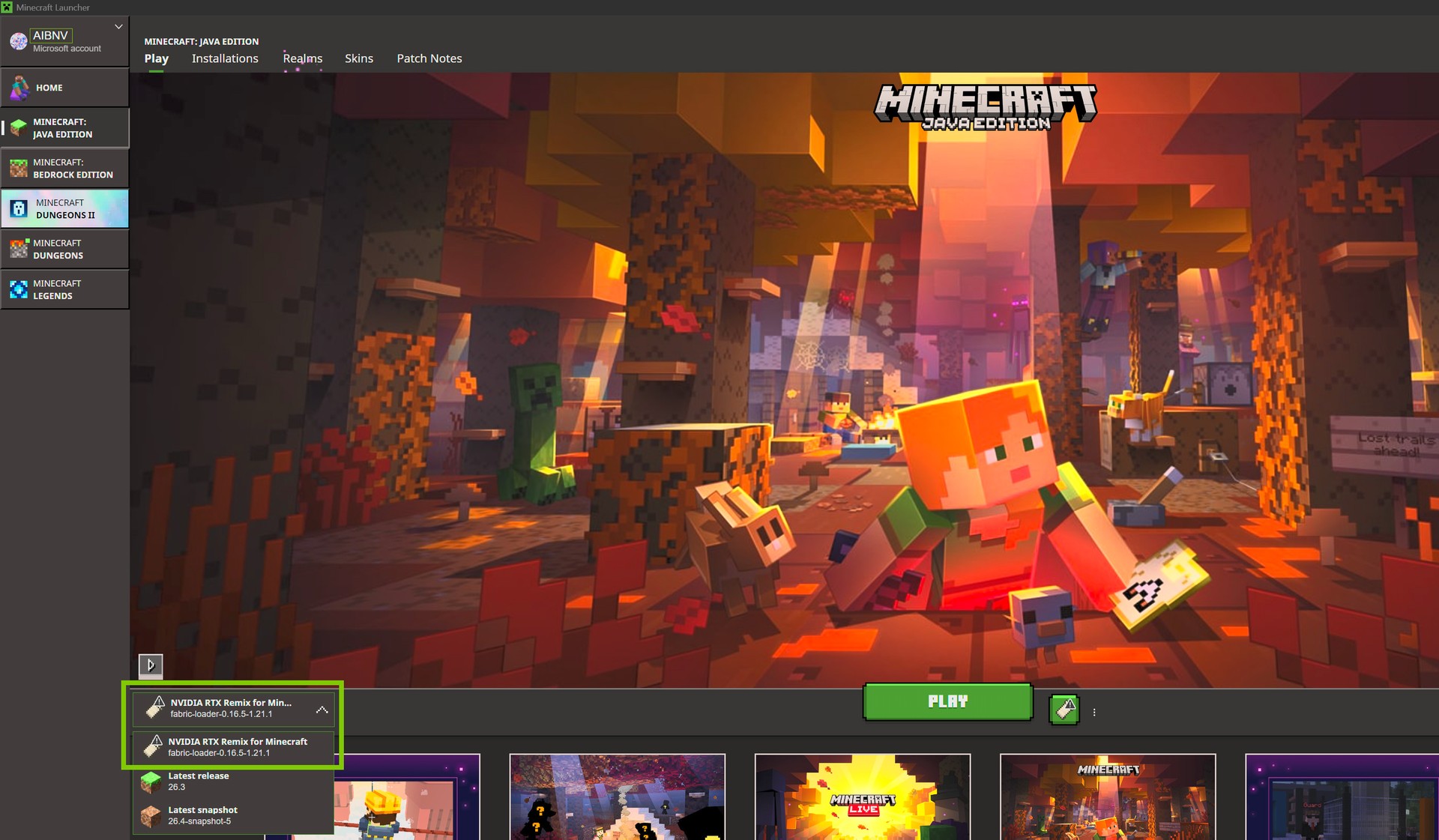
- Open the Minecraft Launcher, pick the NVIDIA RTX Remix for Minecraft profile next to Play, and launch.
- Go to Options, then Resource Packs, and move the RTX Materials Pack to Selected.
- Open Singleplayer and load NVIDIA RTX Demo. You start in Creative with commands on.
- Press T, type /rtx status, and hit Enter. Both Render Initialized and SDK Available should say True.
If /rtx status shows False, check your driver version first, since 616.92 is the minimum.
The rest of RTX Remix 1.6
The update also brings DLSS Multi Frame Generation up to 6X, a new Frame Generation Performance Mode in beta, and DLSS 3D-Guided Neural Rendering for modders. Portal with RTX and the Half-Life 2 RTX demo already have the new options.
The Minecraft mod is a beta, so expect rough edges. The mod itself is free; you still need a paid copy of Java Edition and an RTX 30 Series card or newer.