
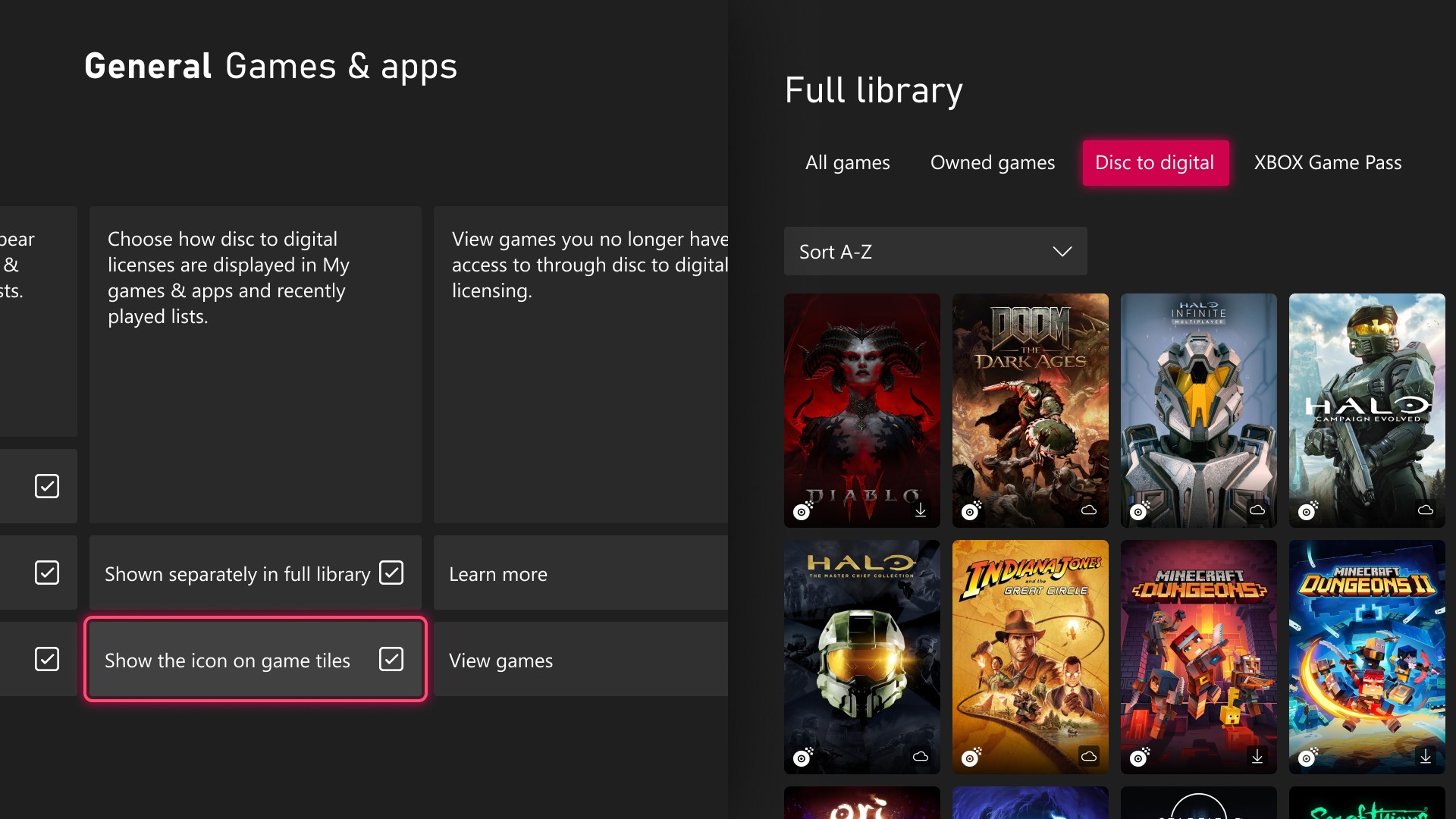
Your disc collection is getting its own shelf on the Xbox dashboard. A new Xbox Insider update puts games you’ve claimed through Disc-to-Digital in a separate category in your full library, lets the Guide open on the right side of the screen, and shuffles your favorite dynamic backgrounds on a timer.
Xbox announced the changes in a November 12 Xbox Wire post. Alpha Skip-Ahead members get them first, and Xbox says they’ll reach more Insiders and players “over time.” There’s no date for everyone else yet.
Disc-to-Digital Games Now Sit in Their Own Library Category
Disc-to-Digital lets you claim a digital license for an eligible Xbox One or Xbox Series disc you own, then play without the disc in the tray. Players told Xbox they wanted more control over how those games show up, and this Xbox Insider update is the response. Claimed games now appear in their own category in the full library. Xbox’s screenshot shows it as a “Disc to digital” filter next to All games and Owned games.
That split is handy, because those licenses follow the disc. Sell or lend the disc and the digital access goes with it, so a separate category shows at a glance which games depend on the plastic on your shelf.
If you’d rather keep everything together, switch back in Settings > General > Personalization > Games & apps. The same page lets you hide the digital license icon on game tiles.
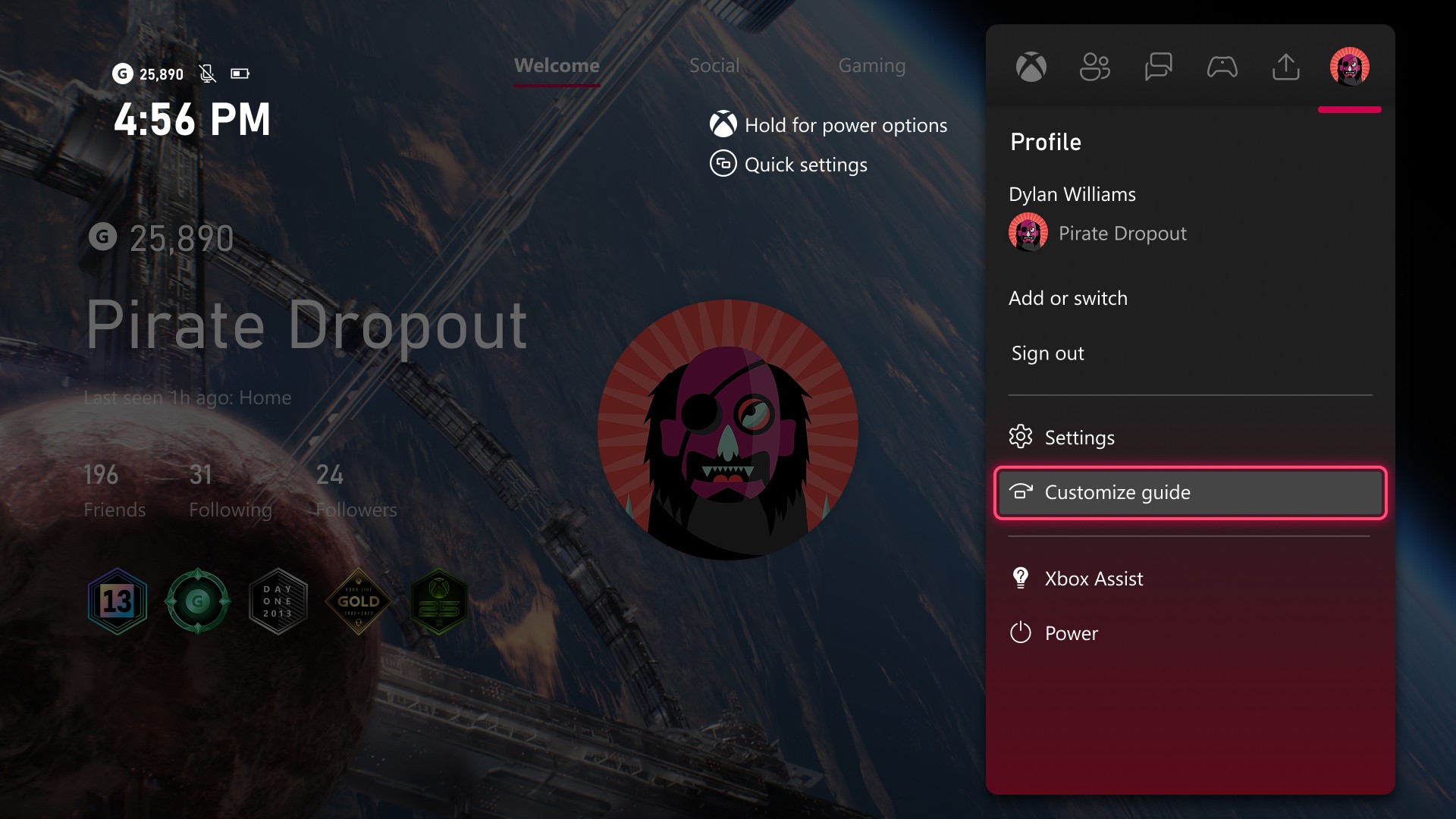
The Guide Can Open on the Right
Until now, the Guide only opened on the left. Insiders can now pick the side under Settings > General > Personalization > Guide. Xbox is openly asking players whether they’re “team left or team right.”
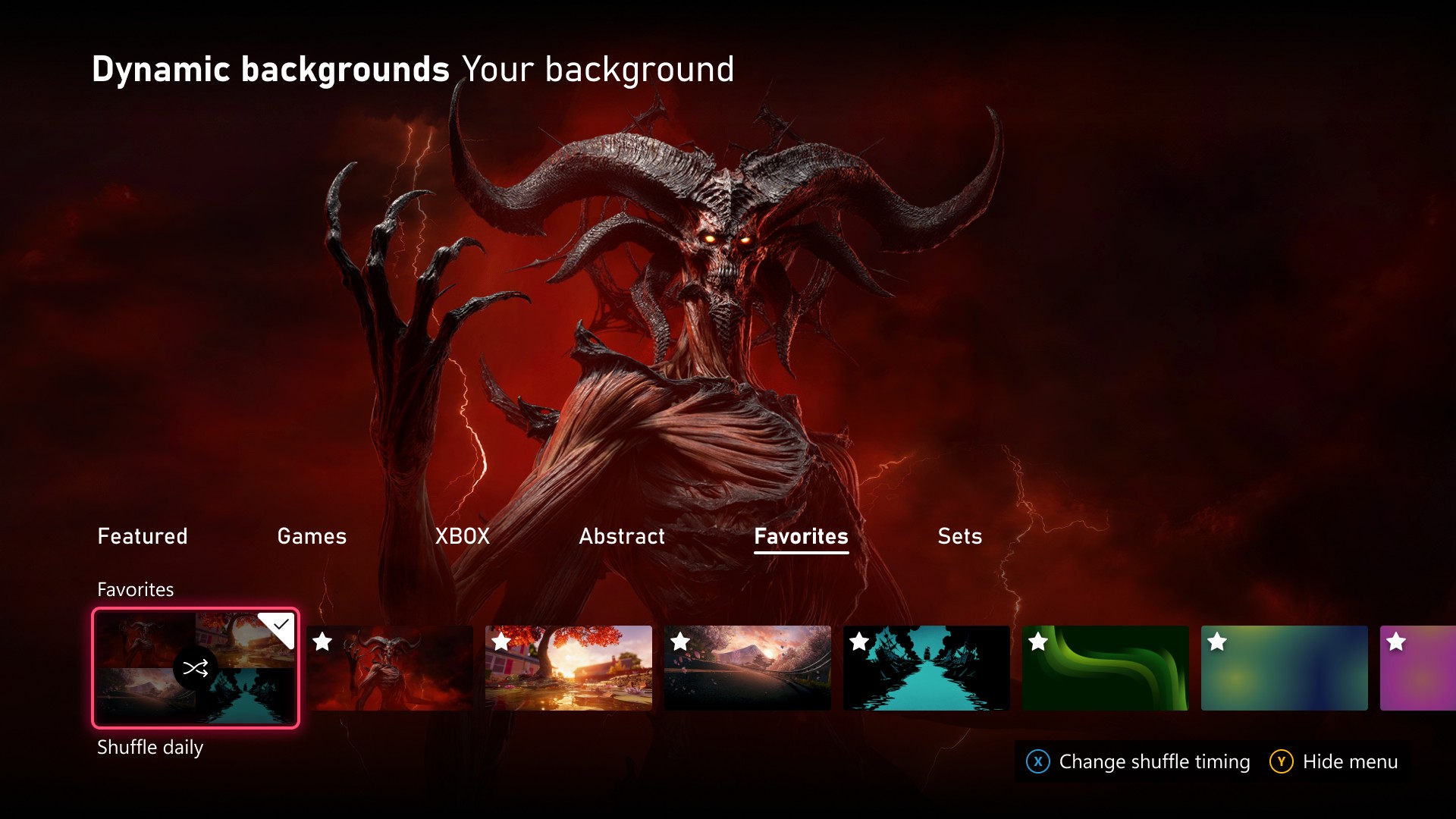
Favorite Backgrounds Can Shuffle Hourly, Daily or Weekly
To save a favorite, go to Settings > General > Personalization > My background > Dynamic backgrounds > Dynamic backgrounds, pick one and press X. It lands in a new Favorites category. Choose Shuffle at the start of any background category, including Favorites, and Home can change every time you sign in, or hourly, daily or weekly.
Exclusive backgrounds tied to a controller, like the one for the Xbox Wireless Controller X25 Special Edition, stay usable after you favorite them, even when that controller isn’t connected.
The Xbox Insider Update Starts With Alpha Skip-Ahead
To try these now, you need the Xbox Insider Hub app, which is on Xbox Series X|S, Xbox One and Windows PC, and a spot in the Alpha Skip-Ahead ring. Everyone else gets them as Xbox widens the rollout.
It’s the second dashboard upgrade in a month aimed at the console you already own, after the October update that brought Mythic Achievements. If you’ve been feeding your old discs into the console, those games are now one filter away instead of mixed into everything else you own.
In the Games Database
Browse Xbox games